Instead of reading and understanding complex ideas, professional reports, and academic articles, the human brain understands them much more easily and quickly when it sees them as diagrams or infographics.
However, creating such visuals requires design skills and time. Napkin AI, an advanced AI tool, offers an innovative solution to this challenge.
Instead of starting with a blank canvas like conventional design software, this deeply analyzes the text we write and generates suitable diagrams based on it.
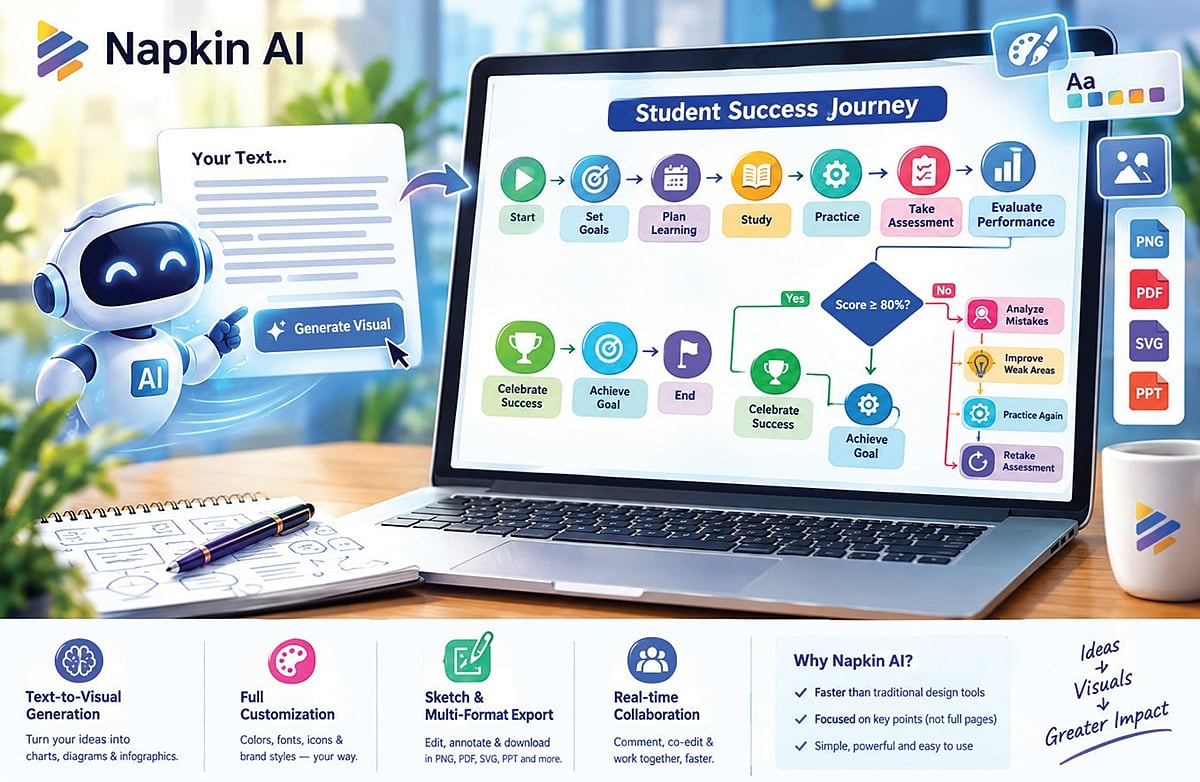
For text-to-visual generation on the Napkin AI platform, all we need to do is paste our articles or paragraphs; then, by selecting specific sentences and clicking the ‘Generate Visual’ button, it understands the core idea of the text and instantly creates appropriate flowcharts, mind maps, and data charts.
Full customization (Full Customization) allows you to easily change the colors, fonts, shapes, and icons in the charts created with this tool to suit your preferences.
You can also upload a company’s brand colors and design images in a consistent style accordingly. Since this tool generates the same image in multiple ways, we have the option to choose any one of them.
The ‘Sketch’ feature and Multi-Format Export: Using the ‘Sketch’ feature in this, you can draw on images and make changes. It also has the ability to download the created diagrams in various formats such as PNG, PDF, SVG, and PPT.
Real-time Collaboration: Those working as a team can share their thoughts on a document through comments and edit it together. Through this, members involved in organizations’ projects can act quickly and make decisions.
How is this different from other AI tools?
In tools like Canva and Adobe Express, you have to drag and drop each shape individually, which takes more time to complete the work. The Gamma AI tool can create entire presentations and web pages. Napkin AI, on the other hand, excels at turning the ideas in specific paragraphs into explanatory visuals (Exploratory Visuals).
Who will benefit from this the most?
Napkin AI plays a key role in helping project managers, writers, marketers, professors, students, and those preparing research reports transform long passages into visual diagrams that encourage idea exchange.
AI Rule
If you want to get the best response from AI tools, learn the art of writing prompts. Giving instructions in the right way is a skill in itself. The more you practice, the more precise your prompts will become. A precise prompt will produce excellent responses.
Example of a prompt:
Create a vibrant, professional flowchart titled “Student Success Journey”. Start → Set Goals →Plan Learning → Study → Practice → Take Assessment → Evaluate Performance.
Decision: Score → 80%?
Yes: Celebrate Success → Achieve Goal → End.
No: Analyze Mistakes → Improve Weak Areas → Practice Again → Retake Assessment
- Learn more.
- Writer, professor, technical writer.